
System design, in short videos
System design in 30 seconds a day.
Caching, sharding, queues, CAP and more. One idea per video, with quizzes and short deep dives, in plain English. Get ready for the interview, or just understand the systems you work on.
You're in. Your cheat sheet is ready.
Download the System Design Cheat Sheet (PDF)We also sent you an email. Click the link in it to confirm your address, so we can tell you when the app launches.
Free: the System Design Cheat Sheet (PDF), right after you sign up. Plus launch news for the app.
Sample episodes
Watch one. It takes 30 seconds.
Turn the sound on: every episode is narrated.
How it works
Small steps, every day.
Watch
One idea per video, about 30 seconds. Clear diagrams, plain English, real numbers.
Check yourself
A quick quiz after each series shows what stuck and what to watch again.
Go deeper
A short written deep dive per series, with trade-offs, interview tips and further reading.
Keep the streak
A few minutes a day adds up. Your progress stays on your phone; no account needed.
Season 1 · the interview basics
12 topics most interviews ask about.
Each series is a few short episodes that build on each other, plus a quiz and a deep dive.
Latency Numbers
How long memory, disks and networks really take.
Load Balancing
How one address spreads traffic across many servers.
Caching Patterns
How to read, write and expire data in a cache.
Content Delivery Networks
How copies near your users make files load fast.
Choosing a Database
Tables, documents, keys, columns or graphs: start from your queries.
Replication
Copies of your data on several servers: leaders, lag and quorums.
Sharding
Split one big database across many servers: keys, hot spots, moves.
CAP and Consistency
When copies disagree: consistency, availability and latency.
Message Queues
Let services talk without waiting: spikes, acks and failed messages.
Timeouts and retries
Give up on time, wait before you retry, and never multiply the load.
Generating Unique IDs
From one counter to Snowflake and UUIDv7: IDs that scale.
Design a URL Shortener
Short codes, fast redirects and click counts at scale.
More seasons follow: distributed systems, reliability, classic designs, AI systems and more.
The app
Coming to iPhone and Android.
A feed of short episodes, quizzes, deep dives and a daily streak. Sign up and we'll email you the day it launches.
- Coming soon toApp Storefor iPhone
- Coming soon toGoogle Playfor Android
Free download
Get the System Design Cheat Sheet.
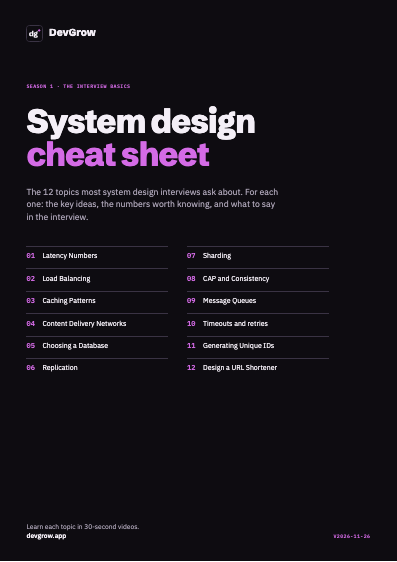
All 12 Season 1 topics on one PDF: the key ideas, the numbers worth knowing, and what to say in the interview. Plain, simple English.
You're in. Your cheat sheet is ready.
Download the System Design Cheat Sheet (PDF)We also sent you an email. Click the link in it to confirm your address, so we can tell you when the app launches.
FAQ
Questions
What is DevGrow?
DevGrow teaches system design in short vertical videos, about 30 seconds each. Every series ends with a quick quiz and a short written deep dive, so you can check what you learned and go further when you want to.
Who is it for?
Developers who want to understand how large systems work: people preparing for system design interviews, and engineers who want to grow into backend, platform or senior roles. You only need to know basic programming.
What does Season 1 cover?
The interview basics, in 12 series: latency numbers, load balancing, caching, CDNs, choosing a database, replication, sharding, CAP and consistency, message queues, timeouts and retries, unique IDs, and designing a URL shortener.
When can I get the app?
The app is coming to the App Store and Google Play. Sign up with your email and we will tell you the day it launches. You also get the free System Design Cheat Sheet right away.
Is it free?
Many episodes will be free. A subscription will unlock all tracks and quizzes. Prices are not set yet; people on the email list hear first.
What is in the cheat sheet?
A PDF with one half page for each Season 1 topic: the key ideas, the numbers worth knowing, and what to say in an interview. It is written in plain, simple English.
What do you do with my email?
We use it to send you the cheat sheet, launch news and new episodes, about one email a week at most. No ads, no selling your data. Every email has an unsubscribe link, and unsubscribing deletes your address.